
Your floor at a glance
See every table by section, which are free, which are waiting for food, and which have asked for the bill.
For restaurants, eateries and lounges
Komerce takes the order at the table, sends it straight to the kitchen, and adds the service charge, packs and VAT to the bill for you.
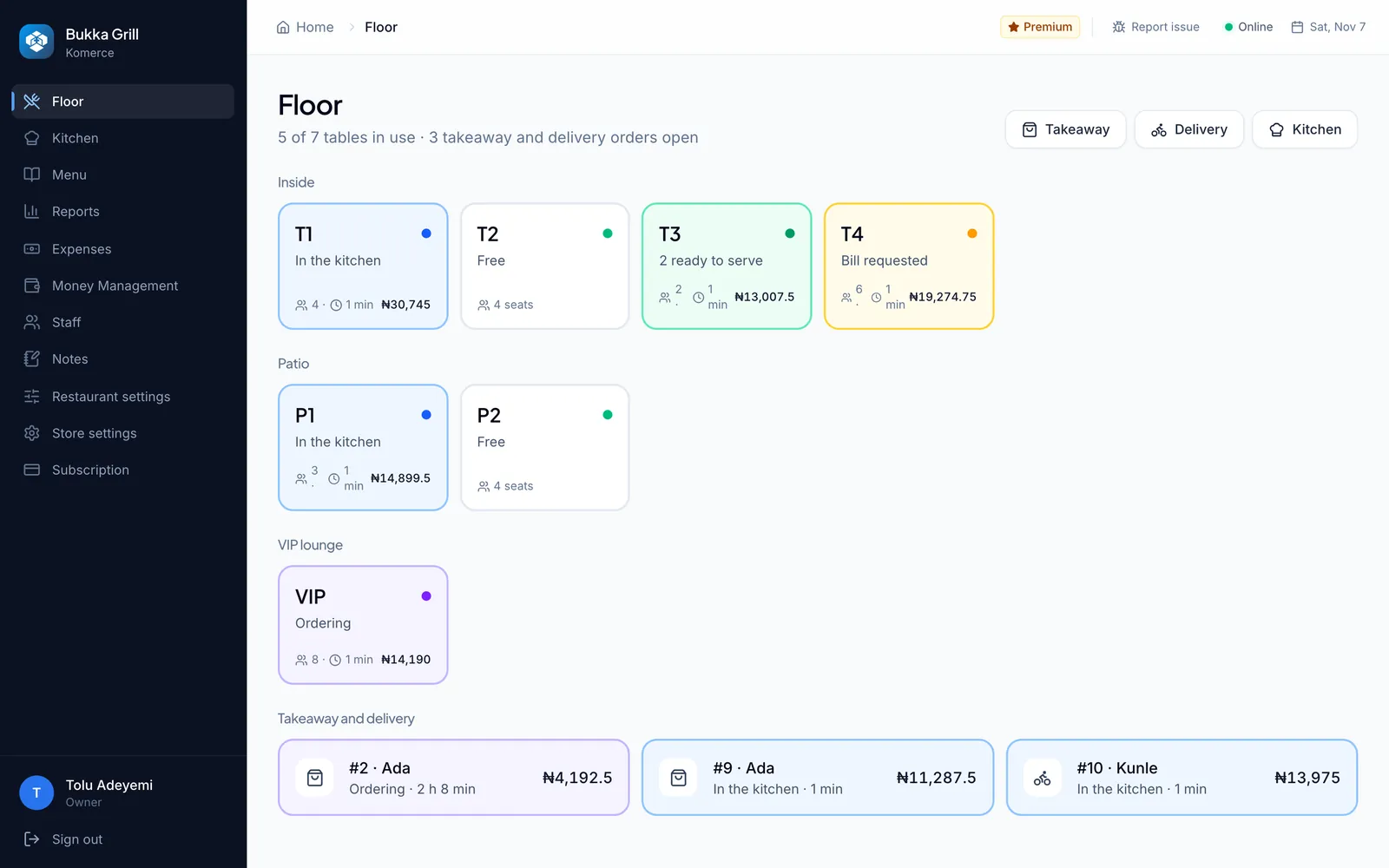
See every table by section, which are free, which are waiting for food, and which have asked for the bill.
Orders go to the kitchen screen the moment they’re sent. Tickets turn amber, then red, when they wait too long.
Take takeaway and delivery orders alongside eat-in, and charge for packs at your own price.
Extra meat, plantain on the side or less pepper, with the right price and a note for the cook.
Service charge, VAT, packs and discounts worked out for you, with split payments by cash, card or transfer.
Sales by dish, by waiter and by day, plus every cancelled dish and the reason it was cancelled.
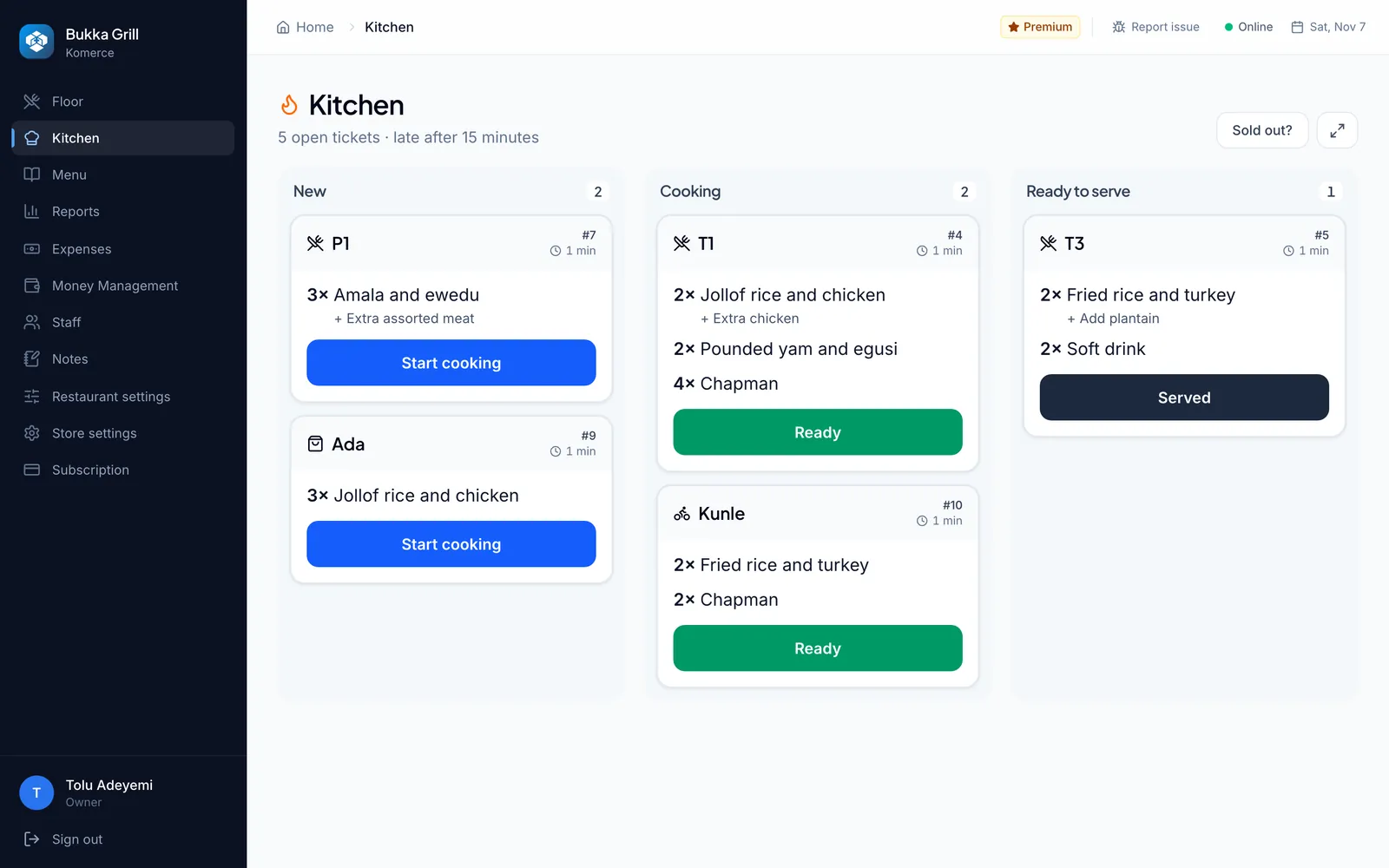
In the kitchen
Orders appear on the kitchen screen as soon as they are sent. Cooks move each ticket from new to cooking to ready, and late tickets stand out.
Yes. Set your service charge percentage once, and choose whether it applies to eat-in orders only or to takeaway and delivery too.
Yes. Set the price of a pack, and add the number of packs to any order. They appear on the bill as their own line.
A tablet, phone or laptop in the kitchen works well, but it is optional. You can also print the bill and use the order screen.
Yes. Anyone on shift can mark a dish sold out, and waiters can’t add it to an order until it’s back on.
Yes, with a reason that is kept. Owners see every cancelled dish, who cancelled it and why, in the reports.
Set up takes minutes, and our team is a call or message away if you’d like help.